Drag. Drop. Mosaic.

Automatically detects and mosaics faces in photos.
Key Features
Automatic Face Detection
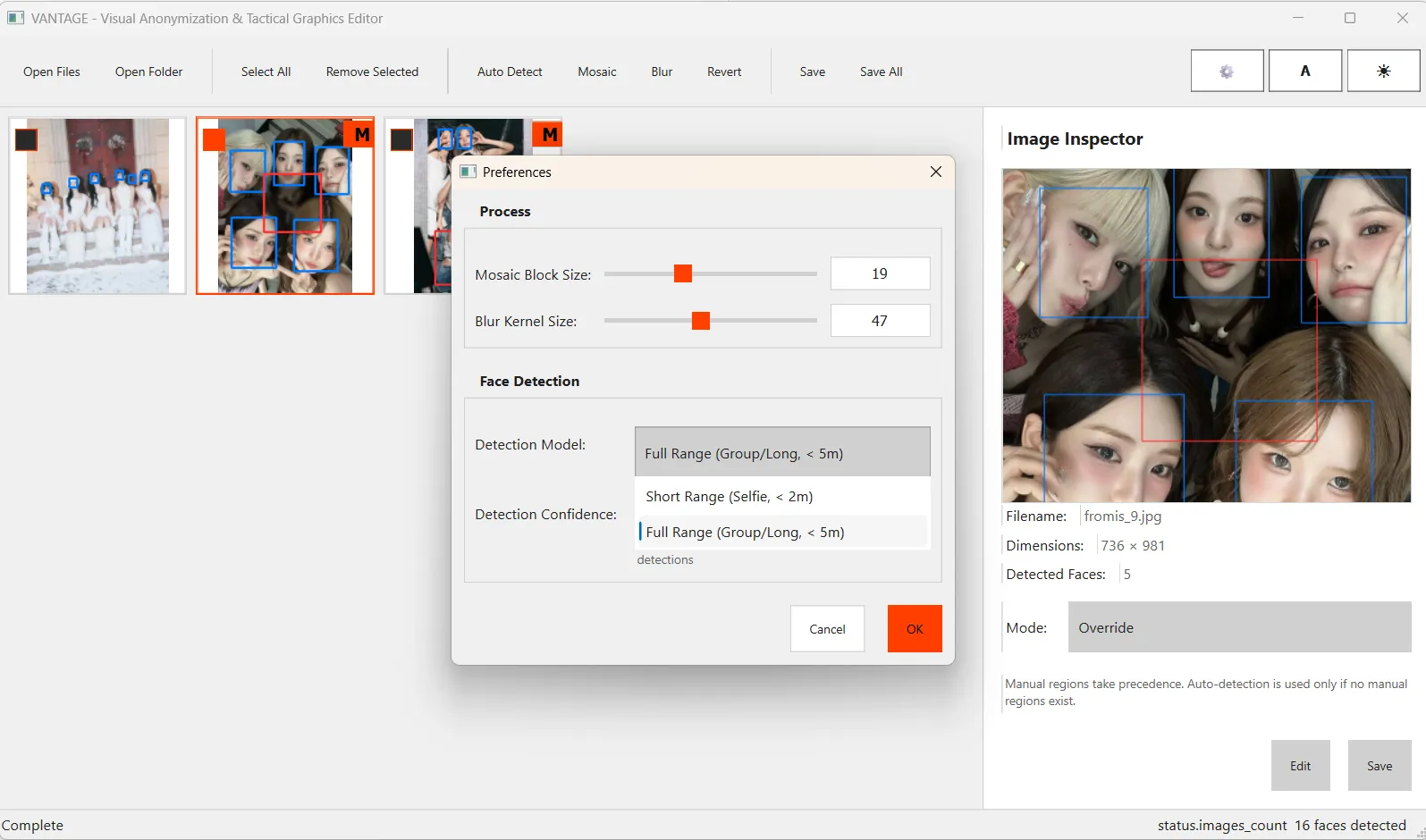
Automatically detects faces using MediaPipe BlazeFace. Supports Short Range and Full Range modes.
Batch Processing
Drag and drop a folder to import and process multiple images at once.
Manual Editing
Manually select areas missed by AI or sensitive info like license plates/documents using Rectangle, Oval, or Lasso tools.
Various Effects
Choose between Mosaic (pixel block) and Gaussian Blur.
Mode Selection
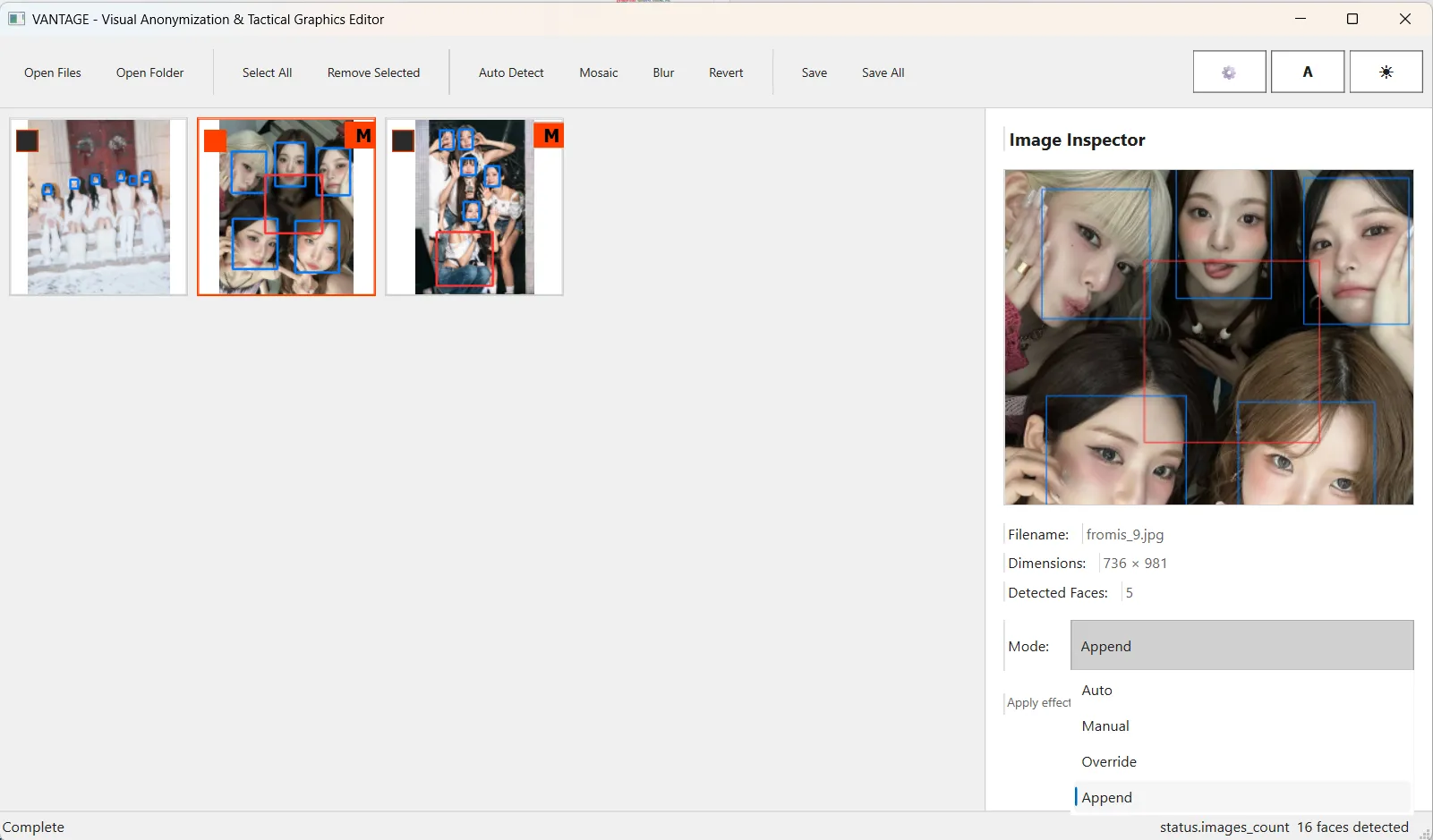
Flexible combination of automatic detection and manual areas using Auto, Manual, Override, and Append modes.
Multilingual Support
Supports English and Korean interfaces.
MediaPipe Face Detection
Uses Google's MediaPipe BlazeFace model for fast and accurate face detection. Select the optimal model based on shooting distance.
- ✓ Short Range: For close-ups (within ~2m)
- ✓ Full Range: For group photos/distance (within ~5m)
Use Cases
Treatment Modes
- Auto Processes only automatically detected areas.
- Manual Processes only manually selected areas.
- Override Prioritizes manual areas; if none, uses auto areas.
- Append Processes both auto-detected and manual areas.
Tech Stack
Language
Python 3.10+
GUI
PySide6
Vision
MediaPipe, OpenCV
Platform
Windows 10/11
License
MIT License
Installation
Run from Source
Run source code directly in Python environment.
Known Limitations
- Windows only (macOS/Linux not supported)
- Difficult to detect faces at extreme angles or obscured faces
- Video processing not supported